

Invoxa compared
Invoxa vs Invoice Ninja
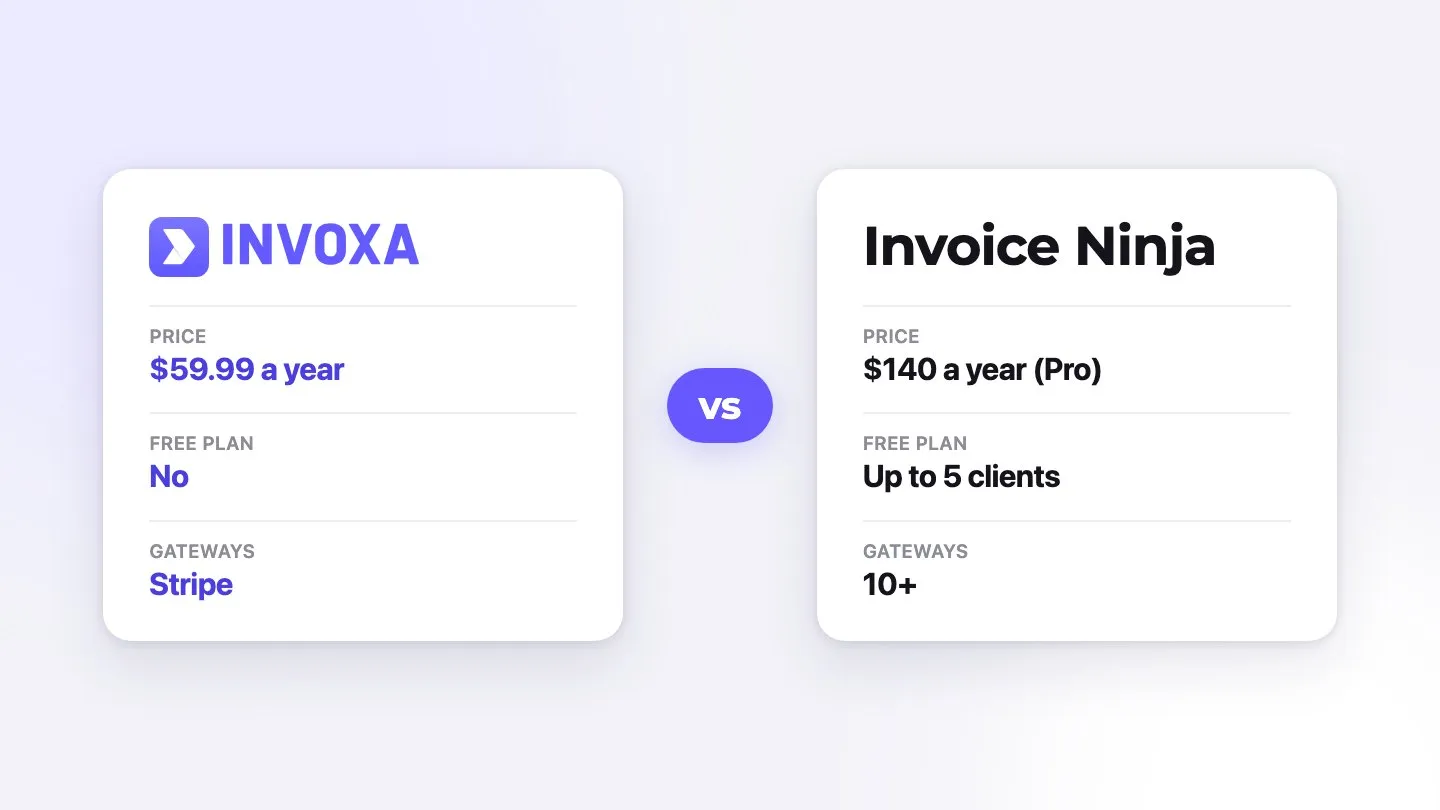
Invoice Ninja suits businesses that want a free plan for a few clients, many payment gateways including PayPal, a team with permissions, desktop apps or self-hosting, and do not mind a more technical tool. Invoxa suits freelancers and small businesses that want a simple invoicing app for the web and iPhone with unlimited clients for $5.99 a month.
Disclosure: Invoxa is our product. We describe it as plainly as Invoice Ninja, including its limits. Every Invoice Ninja price, limit and fee below was read on invoiceninja.com on October 6, 2026; Invoxa prices come from our pricing page. US list prices in USD, before tax. Vendors change prices, so check the linked pages before you decide.
Invoxa vs Invoice Ninja at a glance
| Feature | Invoxa | Invoice Ninja |
|---|---|---|
| Price | One plan, Invoxa Pro: $5.99/month or $59.99/year ($4.99/month). | Free $0; Ninja Pro $14/month or $140/year; Enterprise from $18/month (1 to 2 users) to $300/month (51 to 100 users); Premium Business from $280/year. |
| Free plan or trial | 3-day free trial of Pro, no credit card. No free plan after the trial. The invoice generator can be filled in without an account. | Free forever, no credit card, up to 5 clients; 30-day money-back on paid plans. |
| Invoices and clients | Unlimited invoices, estimates, purchase orders, clients and emails. | Unlimited invoices; 5 clients on Free, unlimited on paid plans. |
| Document types | Invoices, estimates (clients approve, reject or ask for changes online) and purchase orders. Estimates convert to invoices. Deposits, partial payments and attachments. | Invoices, quotes and proposals with e-signature, credits, purchase orders to vendors and statements; PEPPOL e-invoicing on Enterprise. |
| Sending | Email from Invoxa with a link the client opens without an account; PDF download and print; copy the link for any messaging app. | Email (through Gmail, Microsoft or SMTP from Pro), PDF, and a client portal on every plan. |
| Recurring invoices | Weekly, every 2 or 3 weeks, or monthly. Invoxa creates the next invoice as a draft for you to check and send. | Recurring invoices and auto-billing on every plan, including Free. |
| Online payments and fees | Card, Apple Pay, Google Pay and other methods you enable, through your own Stripe account. Invoxa adds no fee; Stripe charges its own rate (2.9% + 30¢ per domestic US card, per Stripe pricing). No PayPal or Venmo. | Through 10+ gateways: Stripe, PayPal and Venmo, Square, GoCardless, Authorize.net, Mollie, Braintree and others; fees are the gateway's, with an option to pass them to the client. |
| Reminders | No automatic reminders. The invoice status shows when the client opened it, paid or paid part of it, with a notification to you. | Automatic payment reminders from Pro. |
| Platforms | Web app and iPhone app. An Android app is in development. | Web, iOS, Android, macOS, Windows and Linux; self-hosting option. |
| Countries and currencies | Any country, any of 119 currencies (one per account). Card payments need a Stripe account in a country Stripe supports. | Countries not listed; multiple currencies with conversion. |
| Branding | Your logo and brand color on 8 document templates. No Invoxa branding on your documents. | Logo and colors on every plan; Free documents show "Created by Invoice Ninja", removed on Pro. |
| Users | One user per account. | Extra users and permissions on Enterprise (up to 100). |
| Language | English interface. Every label on a document can be renamed, so you can issue invoices in another language. | iOS app in English; documents in dozens of languages, set per client. |
| Accounting and reports | No bookkeeping: Invoxa is invoicing software. Reports on sales by client and item, the sales journal, taxes and customer aging, with Excel export. | Expenses and vendors; reports including profit and loss from Pro; bank sync on Enterprise. |
Which one should you choose?
Choose Invoice Ninja if …
- You have five clients or fewer and want to pay nothing.
- You need PayPal, GoCardless or another gateway besides Stripe.
- You work in a team with permissions, or want desktop apps or self-hosting.
- You bill clients in different currencies and languages.
Choose Invoxa if …
- You want unlimited clients for less than Invoice Ninja Pro ($59.99 against $140 a year).
- You want a simple app that works the same on the web and iPhone.
- You take card payments through Stripe and do not need other gateways.
- You prefer fewer settings and a quick start.
What Invoice Ninja is
Invoice Ninja is invoicing software with a free plan, paid hosted plans and a self-hosted option. The Free plan covers up to 5 clients with recurring invoices, auto-billing and a client portal, with "Created by Invoice Ninja" on documents. Ninja Pro ($14 a month or $140 a year) removes the client limit and the branding and adds automatic reminders, custom email sending and reports. Enterprise (from $18 a month for 1 to 2 users up to $300 for 51 to 100) adds users and permissions, bank sync and PEPPOL e-invoicing. Invoice Ninja makes invoices, quotes and proposals with e-signature, credits, purchase orders and statements, connects to more than ten payment gateways, and has apps for the web, iOS, Android, macOS, Windows and Linux.
What Invoxa is
Invoxa is invoicing software with one plan. Invoxa Pro costs $5.99 a month or $59.99 a year ($4.99 a month) and includes unlimited invoices, estimates, purchase orders, clients and emails. New accounts get a 3-day free trial without a credit card. Documents carry your logo and brand color on one of 8 templates, and nothing from Invoxa. Clients open documents from a link without an account, approve estimates online, and pay through your own Stripe account, by card, Apple Pay, Google Pay or the other methods you turn on there. Invoxa runs in the browser and in an iPhone app, in English; an Android app is in development. There is no bookkeeping, no automatic payment reminders and one user per account. See all features.
Pricing in detail
With five clients or fewer, Invoice Ninja's free plan costs nothing, if you accept its branding on documents. Beyond that, Ninja Pro costs $14 a month or $140 a year; Invoxa Pro costs $5.99 a month or $59.99 a year, with unlimited clients on both. A team with separate logins needs Invoice Ninja Enterprise from $18 a month; Invoxa has one user per account. Payment fees depend on the gateway in Invoice Ninja; in Invoxa they are Stripe's own rates, with no Invoxa fee.
Where Invoice Ninja is stronger
- Free plan. Up to 5 clients, with recurring invoices and auto-billing.
- Gateways. PayPal, Venmo, GoCardless, Square and more, with fee pass-through.
- Platforms and teams. Desktop apps, self-hosting, users and permissions.
- International. Multiple currencies with conversion and documents in each client's language.
Where Invoxa is stronger
- Price for unlimited clients. $59.99 a year against $140.
- Simplicity. Fewer settings: connect Stripe, add your logo, send.
- iPhone app. The same documents and statuses on the web and in the iPhone app.
How we checked
We read Invoice Ninja's pricing, invoicing, payments and apps pages on 6 October 2026, and its App Store listing the same day. Enterprise prices for larger teams come from the price table built into its pricing page. Invoxa facts come from our pricing and features pages and the product itself. Prices are in USD before tax.
Pros and cons
Invoxa
Pros
- Unlimited clients, invoices, estimates and purchase orders for $5.99 a month.
- A simple setup: connect Stripe and start invoicing.
- Estimate approval online, deposits and partial payments.
- No vendor branding on documents.
Cons
- No free plan after the 3-day trial.
- Stripe only; no PayPal.
- One user and one currency per account.
- No automatic reminders; no Android app yet.
Invoice Ninja
Pros
- Free plan for up to 5 clients with recurring invoices and a client portal.
- Many payment gateways, including PayPal and Venmo, with fee pass-through.
- Apps for every desktop and mobile system, plus self-hosting.
- Multi-currency with conversion, documents in many languages, expenses, PEPPOL.
Cons
- Invoice Ninja branding on the free plan.
- Automatic reminders need Pro; teams need Enterprise from $18 a month.
- The iOS app is in English and has 176 ratings.
- Free users get support through the forum.
Frequently asked questions
Is Invoice Ninja free?
Yes, for up to 5 clients, with recurring invoices, auto-billing and a client portal; documents show "Created by Invoice Ninja". Ninja Pro ($14 a month or $140 a year) removes the client limit and the branding and adds automatic reminders.
Is Invoxa free?
You can fill in an invoice in the Invoxa invoice generator without an account. A new account gets a 3-day free trial of Invoxa Pro with no credit card; after that Pro costs $5.99 a month or $59.99 a year. There is no free plan.
Can I self-host Invoice Ninja?
Yes. Invoice Ninja offers a self-hosted option alongside its hosted plans. Invoxa is hosted only.
Which payment gateways can I use?
Invoice Ninja connects to more than ten, including Stripe, PayPal and Venmo, Square and GoCardless. Invoxa uses Stripe only, connected to your own Stripe account with no Invoxa fee.
Which is cheaper for unlimited clients?
Invoxa Pro at $5.99 a month or $59.99 a year, against Invoice Ninja Pro at $14 a month or $140 a year. With five clients or fewer, Invoice Ninja's free plan costs nothing.
Sources
Checked on October 6, 2026. We link the official pages so you can verify every number.
- Invoice Ninja pricing (invoiceninja.com)
- Invoice Ninja invoicing (invoiceninja.com)
- Invoice Ninja payments (invoiceninja.com)
- Invoice Ninja apps (invoiceninja.com)
- Invoice Ninja on the App Store (apps.apple.com)
- Invoxa pricing (invoxa.com)
- Stripe pricing (card fees) (stripe.com)
Comparing more tools? Read our guide to the best invoice software for small business, and see the full list of Invoxa features.

