

Estimates clients approve online, invoices in one step
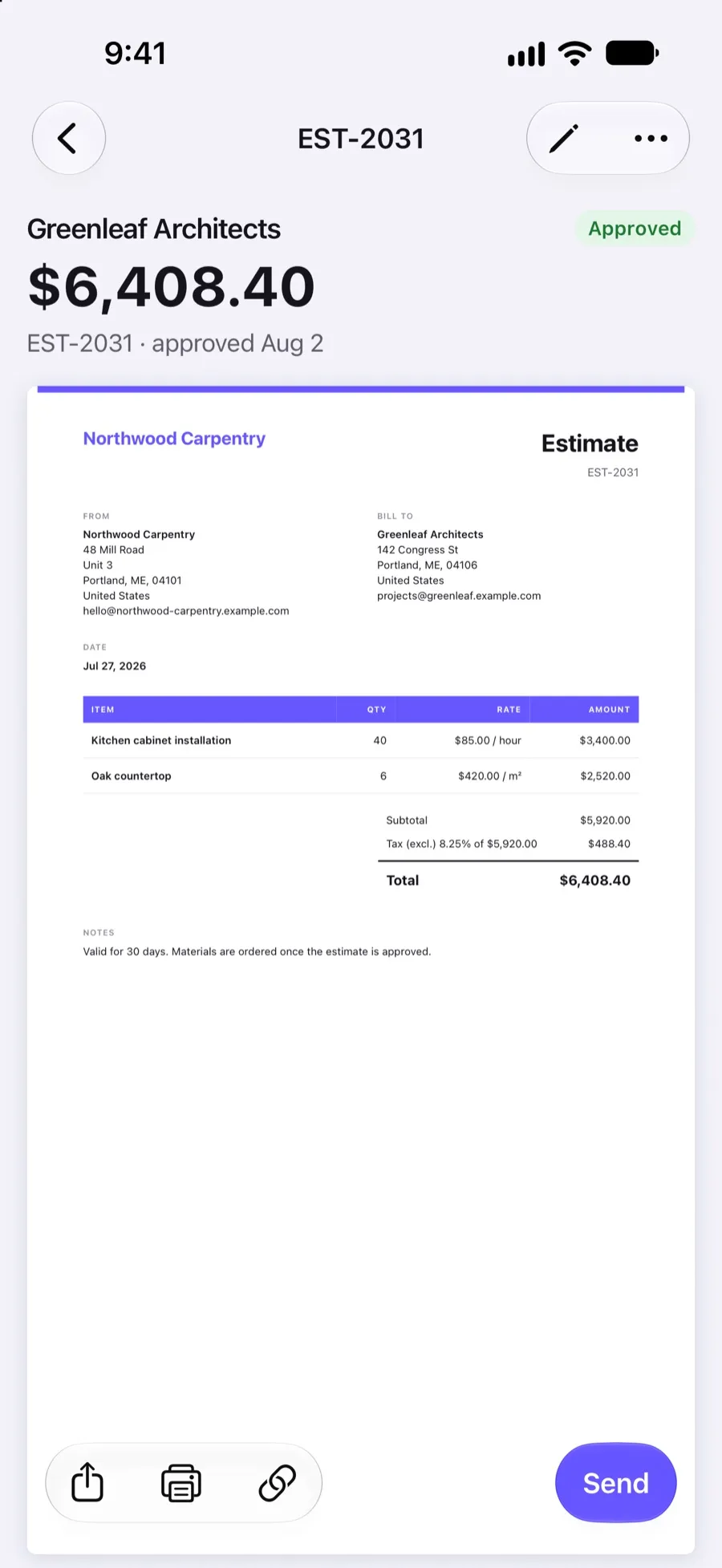
Send a professional estimate or quote, let the client approve it, reject it or ask for changes from the link, and turn the approved estimate into an invoice without typing anything twice.
Included in Invoxa Pro, on the web and in the iPhone app. 3-day free trial, no credit card needed.
How it works
Create the estimate
Add the client, items, taxes, a discount and, if you want one, a deposit to collect on approval.
The client answers online
From the link the client approves, rejects with a reason, or asks for changes with a note.
Convert to an invoice
Turn the approved estimate into an invoice; items, taxes, discount, notes and attachments come along.
What you can do
Approve, reject or change
Clients answer on the estimate page without an account; you are notified right away.
Statuses you can trust
Draft, Sent, Viewed, Approved, Rejected, Pending and Change requested.
One-step invoice
Convert an estimate and the invoice gets the next invoice number and the same content.
Deposits carried over
Set a deposit on the estimate and choose to carry it to the invoice.
Same design as invoices
Your logo, template, numbering (EST) and attachments, like every other document.
Mark answers yourself
Agreed by phone? Mark the estimate approved, rejected or pending yourself.
Why send estimates from your invoicing app
An estimate written in the same tool as your invoices saves the second round of typing and keeps the price the client agreed to. It also tells you where each deal stands: sent, viewed, approved, rejected, or waiting for changes.
How clients answer
The client opens the estimate from your email or link, without an account. Three buttons: Approve, Reject (with an optional reason) and Request changes (with a note telling you what to change). Each answer changes the status and sends you a notification, by email as well if you keep the default settings. If the client answers by phone instead, mark the estimate approved, rejected or pending yourself.
From estimate to invoice
When the job is agreed, convert the estimate. Invoxa creates a new invoice with the next number in your invoice series and copies the items, taxes, discount, notes and attachments. If the estimate had a deposit and you chose to carry it over, the invoice asks for the same deposit. Send it right away or keep it as a draft until the work is done.
Rename it to quote, proposal or presupuesto
The document is called Estimate by default. Rename the label in the document settings to Quote, Proposal or any word your clients use; the prefix (EST) can be changed in numbering.
Frequently asked questions
How do clients approve an estimate in Invoxa?
They open the estimate from your email or link and press Approve. They can also reject it, with an optional reason, or ask for changes with a note. You are notified and the status changes.
Can I turn an estimate into an invoice?
Yes. Convert the estimate and Invoxa creates an invoice with the next invoice number, the same items, taxes, discount, notes and attachments, and the deposit if you chose to carry it over.
What is the difference between an estimate and a quote?
In everyday use they mean the same: a price offered before the work. Invoxa calls the document an estimate; you can rename the label to Quote in the document settings.
Can clients sign estimates electronically?
No. Approval is a button on the estimate page. If you need a signature, show the signature lines and ask the client to sign a printed copy.
Related features
Payment terms and deposits
Net 7 to Net 90 or a custom due date, deposits as a percentage or amount, and your payment instructions.
Purchase orders
Order from suppliers with numbered purchase orders, sent by email or link and tracked until opened.
Invoice tracking
See when a client opens, pays or answers a document, with statuses, notifications and an overdue view.
 Read reviews on App Store
4.9 out of 5 on App Store
 Read reviews on Google Play
4.9 out of 5 on Google Play