

Recurring invoices that prepare themselves
Bill the same client on a schedule without retyping anything. Invoxa makes the next copy of the invoice every week, two weeks, three weeks or month, on the weekday you choose, and leaves it as a draft for you to check and send.
Included in Invoxa Pro, on the web and in the iPhone app. 3-day free trial, no credit card needed.
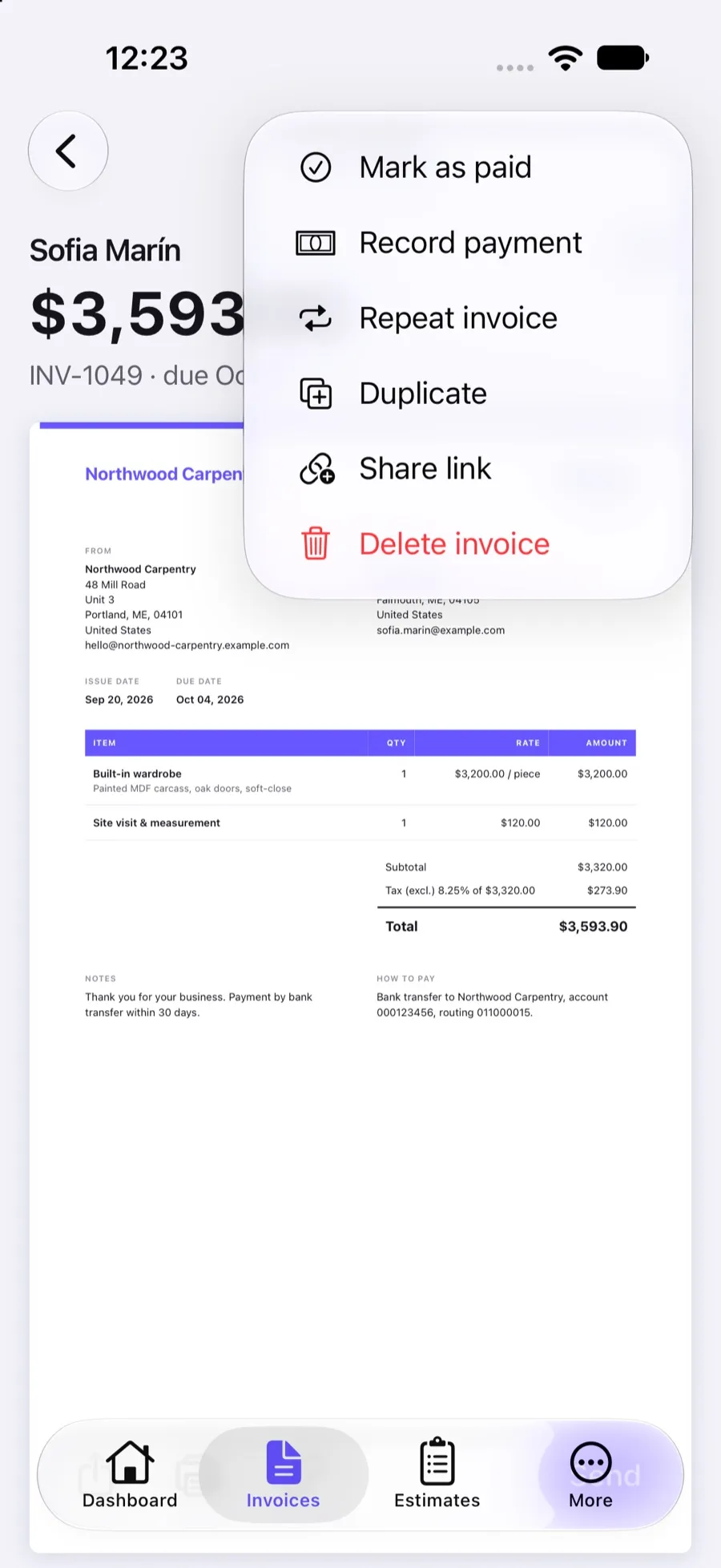
How it works
Create the invoice once
Add the client, the items, taxes, a discount or a deposit, exactly as on any other invoice.
Choose the schedule
Turn on Repeat invoice, pick every week, 2 weeks, 3 weeks or month, and the weekday the copy should be made.
Review and send each copy
On that day Invoxa creates a draft copy with the next invoice number and notifies you. Check it and send it.
What you can do
Four schedules
Every week, every 2 weeks, every 3 weeks or every calendar month.
The weekday you bill on
Copies are made on the weekday you choose, once the period has passed since the last copy.
A complete copy
Sections, line items with their taxes, discount, deposit, attachments, client and currency carry over.
Next number, new dates
Each copy takes the next number in your invoice numbering, is dated the day it is made and keeps the same payment term.
You stay in control
Copies are drafts. Nothing reaches your client until you review it and press Send.
A heads-up when it is ready
A notification tells you a new recurring draft is waiting, in the web app and on your iPhone.
When recurring invoices help
Retainers, monthly maintenance, weekly cleaning, lessons, rent for equipment or space: any work you bill at the same amount on a regular rhythm. Instead of duplicating last month’s invoice and fixing the number and dates by hand, you set the schedule once on the invoice and Invoxa prepares each copy.
How the schedule works
A recurring invoice has two settings: how often (every week, every two weeks, every three weeks or every month) and the weekday. Invoxa checks throughout the day. When the weekday matches and the period has passed since the invoice was created or last copied, it makes the copy. “Every month” means a calendar month, so an invoice started on 6 March is copied in the first week from 6 April on the weekday you picked.
What the copy looks like
The copy is a full new invoice, not a reference to the old one. It has the same client, currency, sections, line items with their taxes, discount, deposit and attachments. It gets the next number from your invoice numbering, it is issued on the day it is made, and its due date keeps the same distance from the issue date as on the original, so a “Net 14” invoice stays Net 14.
Why copies are drafts
Amounts change: an extra hour, a missed visit, a new rate from January. A draft gives you the chance to adjust it before the client sees it. When it looks right, send it from Invoxa by email with a link to view and pay online, or download the PDF. If you need a one-off copy instead of a schedule, use Duplicate.
Frequently asked questions
How do I set up a recurring invoice in Invoxa?
Open the invoice and choose Repeat invoice, then pick how often (every week, 2 weeks, 3 weeks or month) and the weekday. From then on Invoxa makes a draft copy on that weekday each time the period has passed.
Are recurring invoices sent to the client automatically?
No. Each copy is created as a draft and Invoxa notifies you. You check the amounts and dates and send it yourself, by email, as a link or as a PDF.
What changes on each copy?
The copy gets the next invoice number, is issued on the day it is made, and its due date (and deposit due date) is shifted so the payment term stays the same. Everything else, from line items and taxes to attachments, is copied.
Can I stop a recurring invoice?
Yes. Turn Repeat invoice off on the original invoice and no more copies are made. Copies already created stay as they are.
Is it included in the plan?
Yes. Recurring invoices are part of Invoxa Pro ($5.99 a month or $59.99 a year), which you can try free for 3 days without a credit card.
Related features
Duplicate invoices
Copy any invoice, estimate or purchase order into a new draft with the next number and today's date.
Payment terms and deposits
Net 7 to Net 90 or a custom due date, deposits as a percentage or amount, and your payment instructions.
Invoice numbering
Automatic numbers with your own prefix and starting number for invoices, estimates and purchase orders.
 Read reviews on App Store
4.9 out of 5 on App Store
 Read reviews on Google Play
4.9 out of 5 on Google Play