

Purchase orders for your suppliers
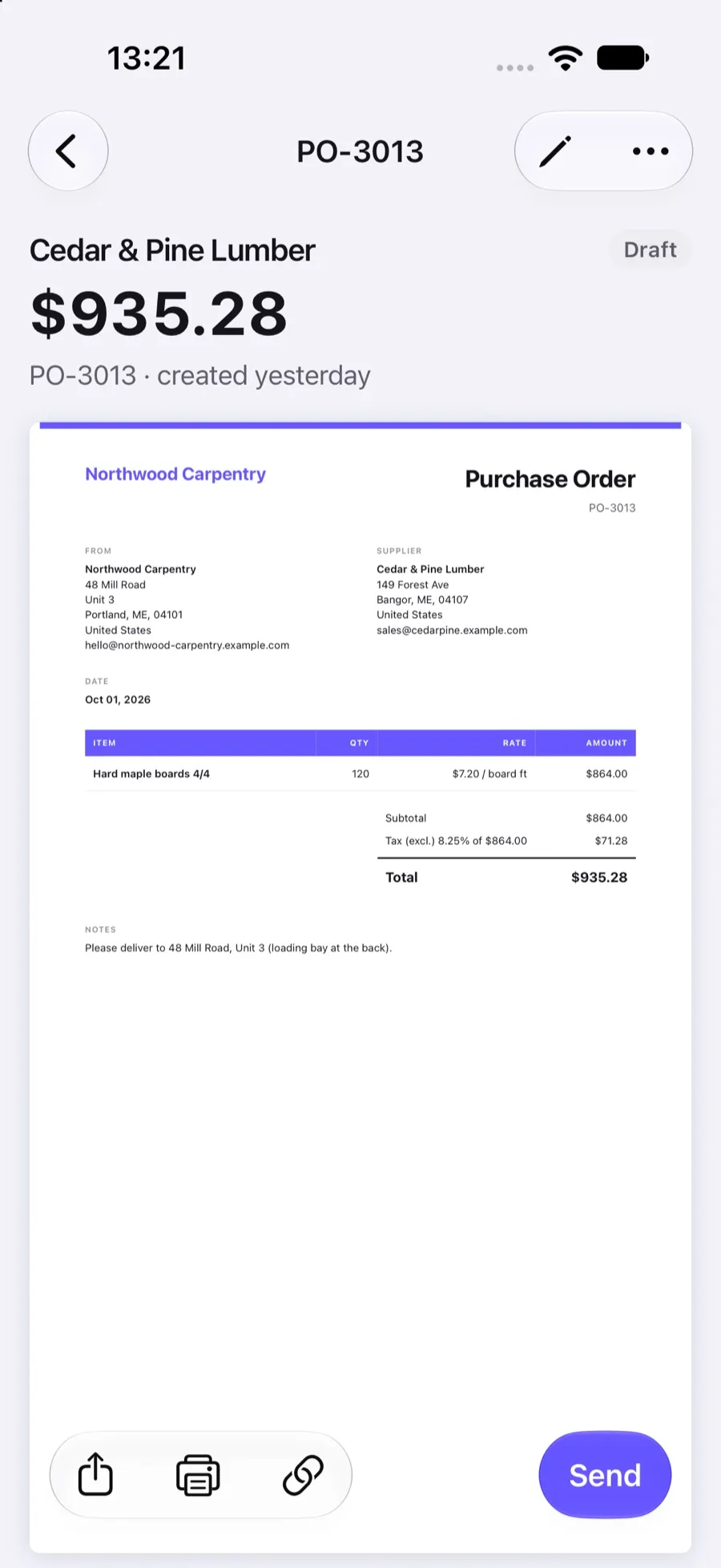
Order materials and services the same way you invoice. Create a numbered purchase order with items and prices, send it to your supplier by email or link, and see when they open it.
Included in Invoxa Pro, on the web and in the iPhone app. 3-day free trial, no credit card needed.
How it works
Create the order
Choose the supplier, add the items, quantities and prices, and any delivery notes.
Send it
Email it from Invoxa or share the link; the supplier opens it without an account.
Track it
See when the supplier opens it, download the PDF and keep it with your records.
What you can do
Numbered series
Purchase orders have their own prefix (PO) and counter, separate from invoices.
Items and sections
Line items with quantities, prices and taxes, grouped in sections if you like.
Notes and attachments
Delivery instructions, drawings or specs as notes and attached files.
Sent and viewed
Statuses Draft, Sent and Viewed, with a notification when the supplier opens it.
Your design
The same logo, template and signature as your invoices.
Duplicate and export
Reuse an order with Duplicate and export your purchase order list to CSV.
When you need purchase orders
Contractors order lumber, studios order prints, shops order stock. A purchase order puts the quantities and agreed prices in writing before the supplier delivers, gives both sides a reference number, and makes the supplier’s invoice easy to check when it arrives.
Purchase orders in Invoxa
Purchase orders are a third document type next to invoices and estimates. They use the same editor, the same items list, your logo and template, and their own PO number series. Send them by email from Invoxa or share the link; the supplier opens the order in a browser and can download the PDF. You see when it was opened.
What purchase orders do not do
They are documents for ordering, not for paying: there is no payment button, deposit or payment term on a purchase order, and it cannot be turned into an invoice. Invoxa also does not track stock or deliveries. If you need the difference explained for your client, our purchase order vs invoice guide covers it.
Frequently asked questions
Can I create purchase orders in Invoxa?
Yes, on the web and in the iPhone app. A purchase order has its own PO number series, items, prices, notes and attachments, and is sent by email or link like an invoice.
Who do I send a purchase order to?
To your supplier or vendor. In Invoxa the supplier is saved like a client, with their email and address.
What is the difference between a purchase order and an invoice?
A purchase order is what a buyer sends to order goods or services; an invoice is what the seller sends to get paid. Our guide to purchase orders vs invoices explains when you need each.
Can I see if the supplier opened the purchase order?
Yes. The status changes to Viewed the first time the supplier opens it, and Invoxa can notify you.
Related features
Estimates and quotes
Send estimates clients can approve, reject or comment on online, then turn them into invoices in one step.
Clients and items
Save clients with several emails, phones and addresses, and a catalog of items with prices, units and taxes.
Invoice numbering
Automatic numbers with your own prefix and starting number for invoices, estimates and purchase orders.
 Read reviews on App Store
4.9 out of 5 on App Store
 Read reviews on Google Play
4.9 out of 5 on Google Play