

Sales, tax and aging reports for your invoices
See what you invoiced, who owes you and how much tax you charged. Invoxa builds sales, tax and customer aging reports from your invoices for any period, and exports them for your accountant.
Included in Invoxa Pro, on the web and in the iPhone app. 3-day free trial, no credit card needed.
How it works
Pick a report
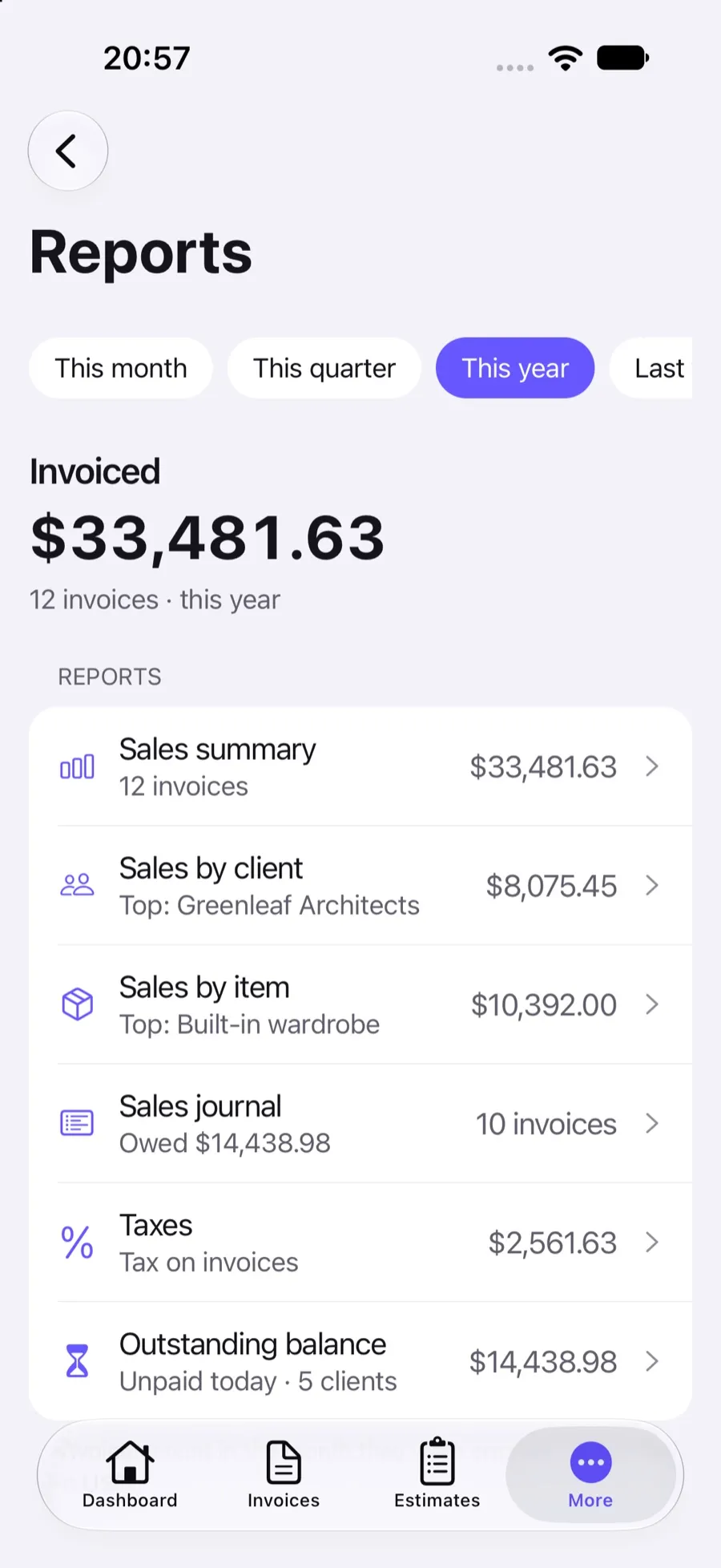
Sales summary, by client, by item, the sales journal, taxes or outstanding balance.
Choose the period
This month, quarter or year, last year, all time or your own dates.
Read or export
Review it on screen or download a spreadsheet for your accountant.
What you can do
Dashboard
Unpaid, not yet due and overdue totals, paid this year and a chart of payments by month.
Sales by client and item
Who brings in the most, and which products or services sell.
Sales journal
Every invoice in the period with its tax, total, paid and owed amounts.
Taxes
Tax charged on invoices by month or quarter and by rate, for your tax returns.
Customer aging
Unpaid amounts by client and by age, from current to more than 90 days past due.
Spreadsheet exports
Download sales, journal and aging reports as Excel files; the iPhone app also shares CSV files.
The numbers behind your invoices
Every invoice you send and every payment you record feeds Invoxa’s reports. Without spreadsheets or formulas you can see your sales for a month, a quarter or a year, which clients and items bring in the most, how much tax you charged, and who is late paying.
Sales reports
The sales summary shows the number of invoices, subtotal, discounts, tax and total invoiced for the period, by month or quarter, and can compare years. Sales by client and by item rank your clients and your products or services. The sales journal lists each invoice with its date, tax, total, paid and owed amounts, which is usually what an accountant asks for.
Taxes
The taxes report adds up the tax on your invoices by month or quarter and by rate, which helps with sales tax, VAT or GST returns. It is based on the taxes you set on each line; see taxes and discounts.
Customer aging
The outstanding balance report groups unpaid invoices by client and by how long they are overdue: current, 1 to 30, 31 to 60, 61 to 90 and more than 90 days. It is the quickest way to plan follow-ups, together with invoice tracking.
Frequently asked questions
What reports does Invoxa have?
A dashboard, sales summary, sales by client, sales by item, the sales journal, taxes and outstanding balance (customer aging). Each can be filtered by period.
Can I export reports for my accountant?
Yes. Sales, journal and aging reports download as Excel spreadsheets; the iPhone app can also share report data as CSV files.
Does Invoxa produce a profit and loss statement?
No. Invoxa is invoicing software and does not record expenses, so it cannot calculate profit. Use the sales and tax reports together with your bookkeeping or your accountant's tools.
How do I see who owes me money?
Open the outstanding balance (customer aging) report. It lists unpaid totals by client and splits them into current, 1 to 30, 31 to 60, 61 to 90 and over 90 days past due.
Related features
Invoice tracking
See when a client opens, pays or answers a document, with statuses, notifications and an overdue view.
Taxes and discounts
Sales tax, VAT or GST per line, inclusive or exclusive, line and invoice discounts, and a tax summary.
Cloud storage and exports
Documents stay in your account; download PDFs, export document lists to CSV and reports to Excel.
 Read reviews on App Store
4.9 out of 5 on App Store
 Read reviews on Google Play
4.9 out of 5 on Google Play