
IT services invoice template
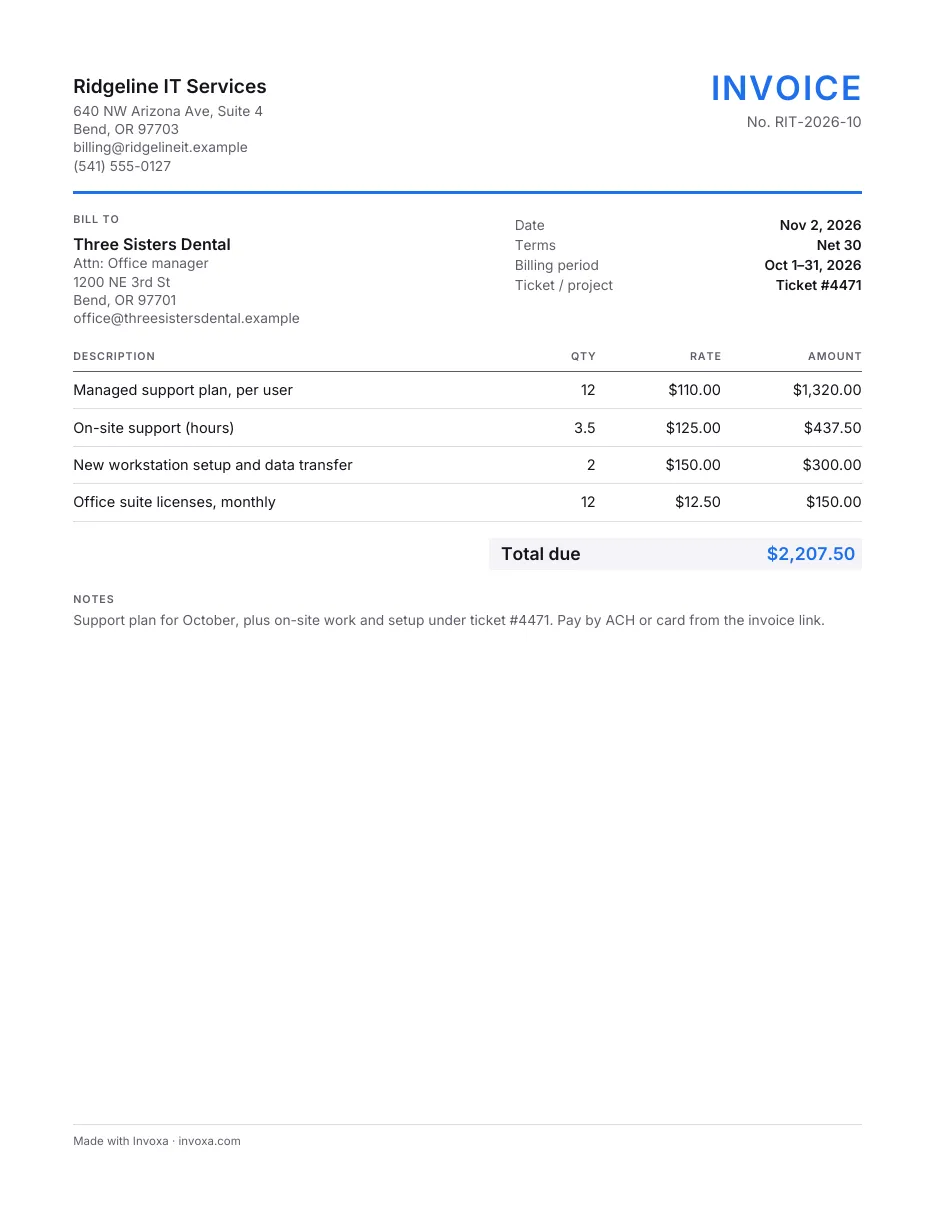
An invoice for IT support companies and freelance technicians: the billing period and ticket or project, the monthly support plan, on-site hours, device setup and software licenses.
Free, no sign-up. Online, you get a finished PDF in one click.
Download the IT services invoice template
What’s in this template
- Billing period and ticket or project fields
- Lines for support plans, hours, setup and licenses
- Sales tax and total
- Net 30 terms by default
- Notes for what the plan covers and how to pay
How to fill it in
- Pick a format. Download the Word or Excel file or the printable PDF, or fill the template in online and download the finished PDF. The Word and Excel files also open in Google Docs and Google Sheets.
- Add the client and the period. Fill in your business, the client, the month you are billing and the ticket or project number the work belongs to.
- List the plan, hours and licenses. Put the support plan first, with users or devices as the quantity, then on-site hours, setup work and each license with its term.
- Add tax and send. Add sales tax where your state taxes the services or licenses, set the payment terms and send.
When to use it
For managed service providers, IT support contractors and freelance technicians who bill small businesses every month. The billing period and ticket number let the client’s office manager match each charge to a request.
Tips
- Bill the plan on the same day each month. In the Invoxa app, a recurring invoice creates the draft for you to check and send.
- Name each license and its term, for example “monthly, 12 users”, so renewals are easy to check.
- Put the ticket number on extra work. It answers “what was this for?” before the client asks.
Frequently asked questions
How do I invoice a managed services contract?
Bill the plan as one line each month, with the number of users or devices as the quantity. Work outside the plan, such as projects or on-site visits, goes on separate lines with the hours and the ticket number.
Are IT services taxable?
It varies by state and by service. Some states tax software licenses or certain IT services and others do not. Check your state's rules, or ask your accountant, before you add a tax rate.