

Invoice tracking: see when it is opened and paid
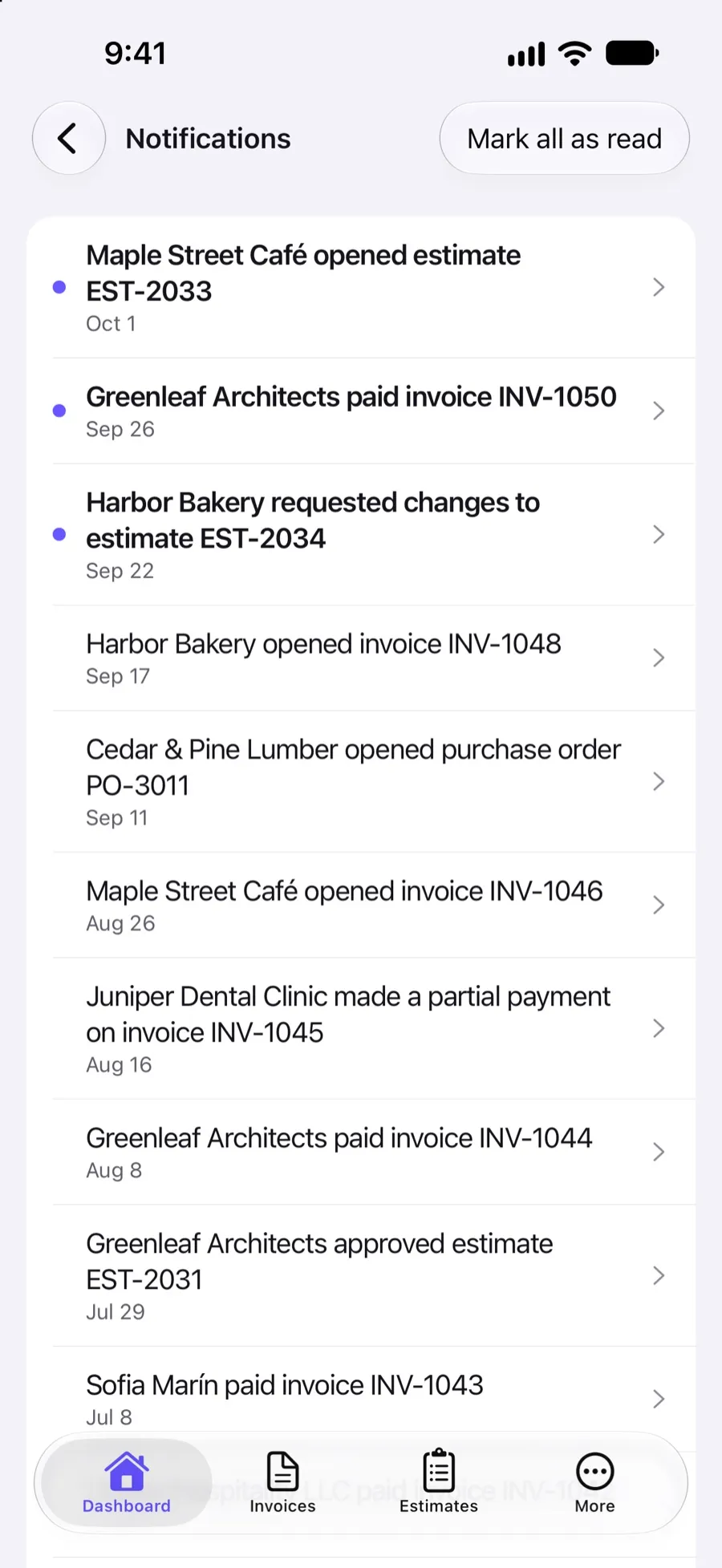
Stop wondering whether the client saw your invoice. Invoxa shows when a document is opened, paid in full or in part, and when an estimate is approved or needs changes, and notifies you as it happens.
Included in Invoxa Pro, on the web and in the iPhone app. 3-day free trial, no credit card needed.
How it works
Send the document
Email it from Invoxa or share the link; the client opens it in a browser, without an account.
Watch the status change
Sent, Viewed, Partially paid, Paid; for estimates also Approved, Rejected or Change requested.
Get notified
Invoxa tells you when a client opens, pays or answers, in the app and by email.
What you can do
Viewed
Know the first time a client opens an invoice, estimate or purchase order. Your own previews do not count.
Paid and partially paid
Online payments update the invoice the moment Stripe confirms them, in full or in part.
Estimate answers
Approved, rejected with a reason, or changes requested with the client's note.
Overdue at a glance
Invoices past their due date with a balance left are flagged in the list and totalled on the dashboard.
Filter by status
Show only drafts, sent, viewed, partially paid or paid documents, or a date range or amount.
Outstanding by age
See unpaid totals by client and by age, from current to more than 90 days past due.
From sent to paid
Every invoice in Invoxa has a status that changes on its own: Draft while you work on it, Sent once it goes out, Viewed when the client opens the link, Partially paid and Paid as payments arrive. Estimates add Approved, Rejected and Change requested, set by the client’s answer on the estimate page. Purchase orders go from Sent to Viewed. The status shows in the lists, on the document and in the client’s history, on the web and in the iPhone app.
Notifications that matter
Invoxa notifies you when something happens on the client’s side: a document opened for the first time, an online payment (with “partial payment” when it does not cover the whole balance), an estimate approved or rejected, or changes requested. Notifications appear in the bell in the web app and in the iPhone app, and the important ones also arrive by email to your business address. Choose which ones you get in the notification settings; payments and estimate answers are on by default, “opened” is off until you turn it on.
Knowing what is overdue
The dashboard shows your unpaid total and how much of it is overdue. In the invoice list, invoices past their due date with a balance left are flagged, and the outstanding balance report groups unpaid amounts by client and by age: current, 1 to 30, 31 to 60, 61 to 90 and over 90 days past due. That is your list for follow-up calls. For more on staying on top of invoices, read our invoice tracker guide.
Frequently asked questions
How do I know if a client opened my invoice?
The invoice status changes to Viewed the first time the client opens it from the link, and Invoxa can notify you. Turn the "opened" notification on in your notification settings; it is off by default.
Which notifications does Invoxa send?
When a client opens a document, pays an invoice online (in full or in part), approves or rejects an estimate, or asks for changes. They show in the notifications list in the web app and the iPhone app, and can also come by email.
How do I see which invoices are overdue?
The invoice list flags invoices past their due date with a balance left, and the dashboard shows the overdue total. The outstanding balance report breaks unpaid amounts down by client and by age.
Does Invoxa remind clients automatically?
No. Invoxa shows you what is overdue; you decide when to send a reminder. Our guide to tracking invoices has tips for following up.
Related features
Email invoices
Email invoices, estimates and purchase orders from Invoxa with a button to view and pay, or share the link.
Record payments
Record full or partial payments in cash, by check or by card; the invoice status updates itself.
Invoicing reports
Sales by date, client and item, a sales journal, taxes and customer aging, with spreadsheet exports.
 Read reviews on App Store
4.9 out of 5 on App Store
 Read reviews on Google Play
4.9 out of 5 on Google Play