
Invoice Tracker: How to Stay Organized & Get Paid on Time
Cash flow problems sink businesses that are otherwise doing well, and late-paid invoices are one of the most common causes. Many business owners struggle with invoice management—spending precious hours on manual processing while trying to keep their business running. Smart invoice tracking makes all the difference between chaos and clarity. Whether you’re using basic spreadsheets or considering specialized software, you’ll learn proven strategies to streamline payment collection and maintain healthy cash flow. Ready to stop worrying about unpaid invoices and start taking control of your business finances? Let’s dive into practical tips that will transform your invoice tracking process and help your business thrive.
Successful invoice tracking needs more than just recording payments. Your invoice tracker becomes your financial compass, guiding every payment from creation to completion while maintaining clear records of your business transactions.
An invoice tracker is a system or tool used to monitor and manage invoices throughout their lifecycle. It helps businesses and freelancers keep track of issued invoices, payment due dates, outstanding balances, and client payments. By using an invoice tracker, you can avoid late payments, reduce financial discrepancies, and maintain a clear cash flow overview. Whether it’s a simple spreadsheet or a specialized app, an invoice tracker is essential for staying financially organized.
Invoice tracker software is a digital tool designed to automate and streamline invoice management. It allows users to create, send, and track invoices in real time, providing alerts for overdue payments and financial reports. Many platforms integrate with payment gateways, accounting software, and banking systems for seamless transactions. Ideal for businesses and freelancers, this software ensures efficiency, accuracy, and better financial control, minimizing the hassle of manual invoice tracking.
How to Track Invoices: Key Components
Value matters more than complexity in invoice tracking. These are the essentials:
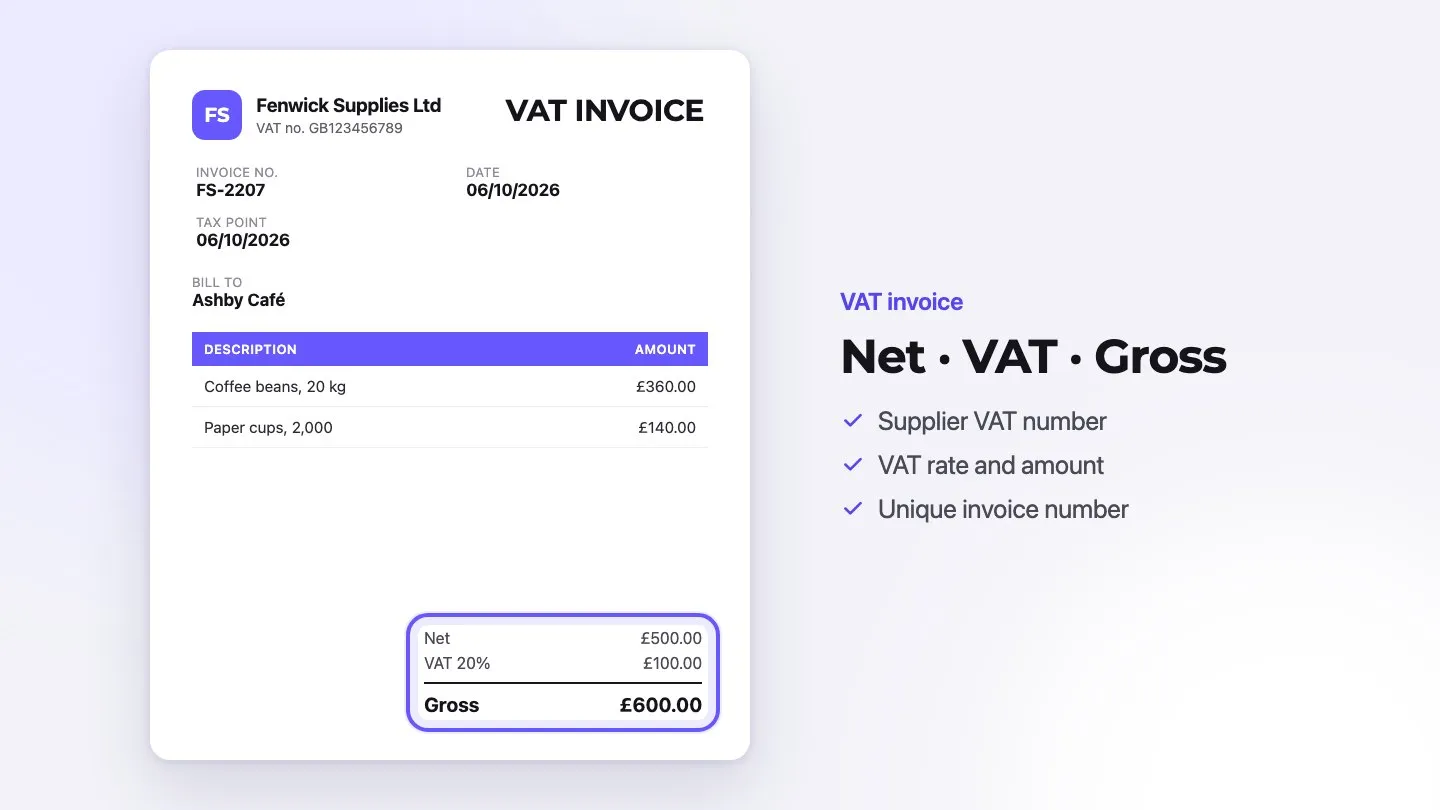
- Invoice Identifiers: Unique numbers for each invoice, ensuring systematic organization and easy retrieval. Proper invoice number tracking and invoice id tracking are crucial for maintaining order.
- Payment Timeline: Issue dates, due dates, and actual payment dates to maintain payment schedules
- Transaction Details: Complete information about services, amounts, and amount due for each invoice
- Client Information: Comprehensive customer data for efficient communication and follow-up
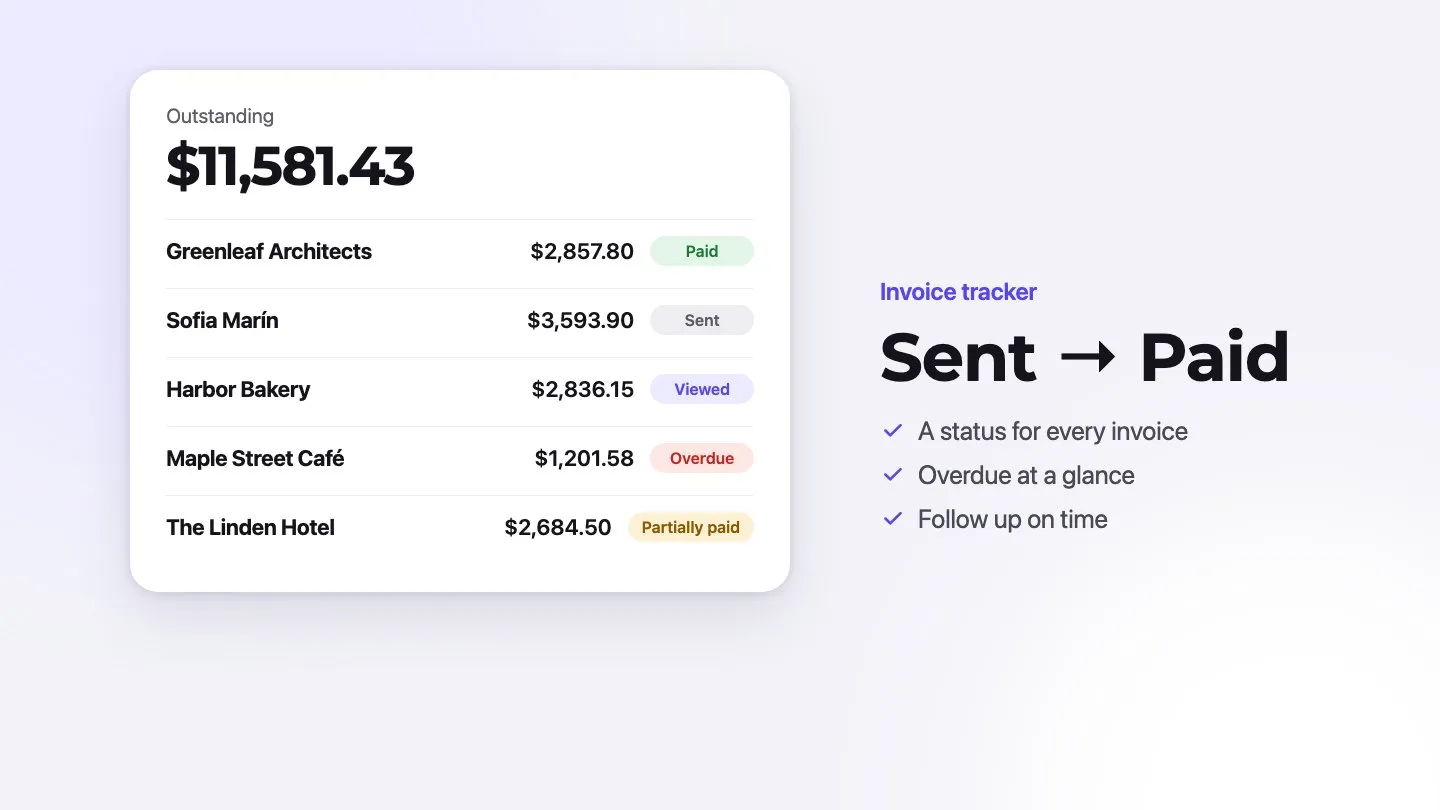
- Payment Status: Real-time updates on whether invoices are paid, pending, or overdue
Note that proper record-keeping of payment methods and confirmation receipts strengthens your tracking system’s reliability, and automated systems remove much of the manual data entry where errors creep in.
Common Tracking Mistakes to Avoid
Tracking oversights can drain resources quickly, and manual tracking methods waste both time and money.
Let’s take a closer look at critical mistakes that hurt your cash flow:
- Digital backup failures put your records at risk. In the US, the IRS generally expects you to keep records for at least three years, and up to seven in some cases, making secure cloud storage essential for compliance.
- Payment option limitations create unnecessary barriers. Offering convenient payment methods, such as cards and digital wallets, removes an excuse to pay late.
- Even worse, many businesses forget to follow up on unpaid invoices. Some clients simply misplace invoices or forget to pay, making regular payment reminders crucial for maintaining healthy finances.
Value comes from automation in modern invoice tracking. Smart systems provide real-time visibility into payment patterns, route invoices automatically to approvers, match purchase orders, and generate detailed audit trails.
Choosing the Right Invoice Tracking Method
Talking about invoice tracking tools isn’t easy. Your choice between spreadsheets and specialized software can make the difference between struggling with payments and running a smooth operation. Let’s take a closer look at what works best for different business needs.
Spreadsheet vs Specialized Invoicing Software
Spreadsheet-based tracking works well for some small businesses. Google Sheets is free with a Google account, Excel comes with a Microsoft 365 subscription, and both offer ready-made templates that help you get started quickly.
Value matters more than familiarity though. Spreadsheets depend on manual data entry and hand-built formulas, so errors slip in easily. That’s why many businesses switch to specialized invoice tracking software, cutting down errors through automation and built-in checks.
Key benefits of modern invoice software:
- Real-time payment tracking, and in some tools automated payment reminders
- Online payment options built into the invoice
- Professional, customizable invoice templates
- Comprehensive financial reporting capabilities
- Secure cloud storage for long-term record keeping
Mobile vs Desktop Tracking Options
Your work style shapes your tool choice. Mobile tracking proves essential when you’re always on the move or need to generate invoices right after finishing work. These smart tools let you create and send invoices, capture signatures, and process payments wherever you are.
Desktop platforms pack more power into their features. They excel at advanced reporting, detailed financial analysis, and smooth integration with your other business tools. Even better, they handle complex tasks like recurring invoices and payment reminders automatically.
Note that choosing between mobile and desktop depends on your daily routine. Mobile solutions shine when you need flexibility – tracking time, capturing receipts, and checking payment status on the go. Desktop options work better for managing high volumes of invoices and generating deep financial insights.
The good news? Many modern invoice tracking solutions offer both mobile and desktop access. This means you get the best of both worlds – flexibility when you need it and powerful features when you’re at your desk.
Building Your Monthly Invoice System
Many businesses struggle with monthly invoicing. A structured system makes the difference between steady cash flow and constant payment delays. Let’s dive into proven strategies that will transform your monthly billing process.
Setting Up Payment Schedules
A specific due date (“Due 15 March”) is clearer than a vague term, and clear payment terms prevent costly misunderstandings. Choose payment periods that fit your cash flow and your clients’ approval cycles, commonly somewhere between 7 and 60 days.
Value matters more than complexity in scheduling. Sending invoices on the same day each month makes cash flow steadier and payments harder to overlook.
Creating Invoice Categories
Organized invoices lead to faster payments. Smart billing codes help track:
- Transaction records and audit trails
- Outstanding balances
- Tax documentation requirements
- Payment status updates
Note that systematic categorization transforms chaos into clarity, making every transaction easy to find and monitor.
Organizing Client Information
Your client database becomes your business compass. A centralized system housing contact details, payment preferences, and transaction history prevents costly mistakes and communication gaps.
Regular updates keep your records accurate and communication flowing smoothly.
Managing Recurring Invoices
Recurring invoices save you from rebuilding the same invoice every month while ensuring consistent cash flow.
Your recurring invoice system needs these essential elements:
- Specific billing dates
- Clear payment frequencies
- Standardized templates
- A review step before each invoice goes out
Aging reports show invoices older than 30 days, making follow-ups easier and more effective.
Streamlining Payment Collection
Systematic follow-up makes all the difference. Let’s dive into proven approaches that keep cash flowing while maintaining strong client relationships.
Following Up on Overdue Payments
Letting clients pay online from the invoice removes one of the most common delays. For everything else, use a clear follow-up timeline:
- Send initial reminder three days before due date
- Issue first follow-up email at 10 days past due
- Make phone contact at 20 days overdue
- Send formal letter at 30 days late
- Begin collection proceedings at 60 days
Note that flexibility often unlocks payments. A client who can’t pay a large invoice at once may happily commit to monthly installments. This approach keeps cash flowing while maintaining valuable business relationships.
Payment Reminder Templates
Talking about money isn’t easy. Yet well-crafted reminders make a remarkable difference.
Your first reminder should strike a friendly tone: “We wish to bring to your attention that payment for Invoice #[Number] was due on [Date]. We understand oversights happen and welcome discussion of any concerns.”
For persistent late payments, a more direct approach works better: “As per our agreed terms, a late payment fee of [Amount] has been applied. We require full payment by [Final Deadline].”
Some clients pay late again and again. That’s why tracking response patterns through your invoice software becomes crucial. Understanding these patterns helps you take proactive steps, turning late payments into predictable cash flow.
Making Your Invoice Tracker Work Harder
Modern tracking systems hold untapped potential. Smart analytics transform basic invoice data into powerful business insights. Let’s dive into proven strategies that make your tracker work smarter, not harder.
Generating Financial Reports
Value matters more than volume in financial reporting. Pre-built reports give you clear insights across your entire invoice-to-cash lifecycle, and advanced tools let you customize reports to answer specific questions about your receivables performance.
These metrics are essential:
- Days Sales Outstanding (DSO) to measure average collection time
- Invoice aging reports for outstanding amounts tracking
- Payment terms compliance rates
- Invoice approval cycle duration
- Collection Effectiveness Index (CEI)
Note that businesses managing multiple units need multi-entity filtering options. This provides both big-picture and detailed unit perspectives.
Forecasting Cash Flow
Talking about future cash flow isn’t easy. Yet historical payment data holds the key to predicting future liquidity: patterns in your invoice data and customer payment history show when money is likely to arrive.
The secret lies in regular monitoring. Your tracker becomes a crystal ball, spotting potential cash shortages before they hurt your business. Even better, comparing actual results against forecasts through a “waterfall model” sharpens your predictions over time. It’s surprising how systematic tracking helps businesses quickly spot problem areas, especially poor-quality forecasts from subsidiaries.
Tracking Growth Patterns
Your invoice tracker tells stories about your business growth. Advanced analytics reveal seasonal demands and payment behaviors that might otherwise go unnoticed. These insights help shape smarter collection strategies and better financial planning.
Let’s take a closer look at key growth indicators:
- Payment cycle trends
- Client payment behaviors
- Seasonal fluctuations
- Service or product profitability
These insights drive strategic decisions about payment terms and collection practices. Understanding which clients consistently pay on time helps design more effective payment terms, turning data into better cash flow.
Conclusion
Smart invoice tracking makes the difference between struggling and thriving. Proper systems cut processing time while catching errors before they hurt your cash flow.
Talking about manual tracking isn’t easy. Your precious hours disappear into spreadsheets and follow-ups, draining resources that could grow your business. Invoice tracker software like Invoxa shows every invoice’s status (draft, sent, viewed, paid or partially paid), notifies you when a client opens an invoice, marks Stripe payments as paid automatically, and gives you a customer aging report. It doesn’t send automatic reminders, so pair it with the follow-up timeline above.
The secret lies in three key elements:
- Organized tracking systems that work while you sleep
- Consistent follow-up procedures that maintain strong client relationships
- Data-driven decisions that spot problems before they grow
Many businesses stick with inefficient systems because change feels overwhelming. Yet consistent reminders and clear communication improve collection rates.
Value matters more than complexity in choosing your tracking solution. Your system should feel like a natural extension of your business – supporting your daily operations while driving growth. Regular monitoring of financial metrics, payment patterns, and cash flow becomes second nature with the right tools.
Ready to stop struggling with invoice tracking and start growing your business? Take the first step today. Your future self will thank you for making the switch to smarter invoice management.
FAQs
Q1. What is an invoice tracker? An Invoice Tracker is a tool that helps businesses and freelancers monitor invoices, track payments, and manage due dates efficiently. It ensures that all invoices are organized, reducing the risk of missed payments. Features typically include automated reminders, payment status tracking, and integration with payment gateways. Using an invoice tracker improves cash flow management, enhances financial organization, and saves time by automating invoicing processes and reducing manual follow-ups.
Q2. What is an invoice tracker software? Invoice Tracker software is a digital tool designed to automate and streamline invoice management. It helps businesses and freelancers track issued invoices, monitor payment statuses, send automatic reminders, and integrate with payment gateways. This software reduces manual work, minimizes late payments, and improves cash flow management. Key features often include real-time tracking, reporting, multi-currency support, and tax calculations, making invoicing more efficient and organized for users.
Q3. What is the difference between Invoice Tracker in Excel and Invoice Tracker in Google Sheets? The difference between Invoice Tracker in Excel and Invoice Tracker in Google Sheets lies in functionality and accessibility. Excel offers advanced automation, complex formulas, and offline access, making it ideal for detailed financial analysis. Google Sheets, however, provides real-time collaboration, cloud storage, and easy sharing, perfect for remote teams. If you need powerful data processing, choose Excel; for seamless teamwork and accessibility, Google Sheets is the better option.
Q4. What are the key requirements for an Invoice Tracker? An effective Invoice Tracker must have automated invoice management, real-time payment tracking, and integration with payment systems like PayPal or Stripe. It should support multi-currency, tax calculations, and customizable templates. Features like reminders for overdue payments, bank reconciliation, and secure cloud storage are essential. A user-friendly interface and mobile access ensure efficiency, while data encryption and two-factor authentication (2FA) enhance security.
Q5. What are the key components to include in an invoice tracker? An effective invoice tracker should include invoice identifiers, payment timelines, transaction details, client information, and payment status. These elements help maintain organized records and ensure smooth payment processing.
Q6. How can I streamline my invoice tracking process? To streamline invoice tracking, consider using specialized software instead of spreadsheets. This can automate many tasks, reduce errors, and provide features like real-time payment tracking, automated reminders, and comprehensive financial reporting. Look for solutions that offer invoice automation and accounts receivable automation to further enhance efficiency.
Q7. What’s the best way to follow up on overdue payments? Implement a structured follow-up system starting with a friendly reminder a few days before the due date. If the invoice remains unpaid, escalate with email reminders, phone calls, and formal letters at set intervals. Consider offering payment flexibility for larger invoices. Utilize automated payment reminders to ensure consistent follow-up without manual effort.
Q8. How can I use my invoice tracker to forecast cash flow? Utilize the analytical capabilities of your invoice tracking system to analyze historical payment data and predict future cash movements. This can help you anticipate potential cash shortages and make informed decisions about resource allocation. Many invoice tracking solutions offer built-in forecasting tools that provide valuable invoice visibility and cash flow projections.
Q9. What are some common invoice tracking mistakes to avoid? Common mistakes include failing to maintain digital backups, limiting payment options, and neglecting to follow up on unpaid invoices. It’s also crucial to avoid relying solely on manual tracking methods, which can lead to errors and inefficiencies. Ensure you’re using a robust accounts payable system and leveraging invoice tracking functionality to its fullest potential.