

Your invoices in the cloud, with PDF and CSV exports
Every invoice, estimate and purchase order you make is stored in your Invoxa account and opens on any device. When you need your own copy, download a PDF, export your document lists to CSV or your reports to Excel.
Included in Invoxa Pro, on the web and in the iPhone app. 3-day free trial, no credit card needed.
How it works
Work as usual
Each document you save is stored in your account, with its client, items, payments and status.
Download what you need
Download or print any invoice, estimate or purchase order as a PDF, from the web or the iPhone app.
Export lists and reports
Export the invoice, estimate or purchase order list to CSV, and sales and aging reports to Excel.
What you can do
Stored in your account
Documents, clients and items live in the cloud and open on any device you sign in on.
PDF for every document
Download, print or share any invoice, estimate or purchase order as a PDF.
CSV of your documents
Export the invoice, estimate or purchase order list to CSV, with the filters you set on the list.
Reports in Excel
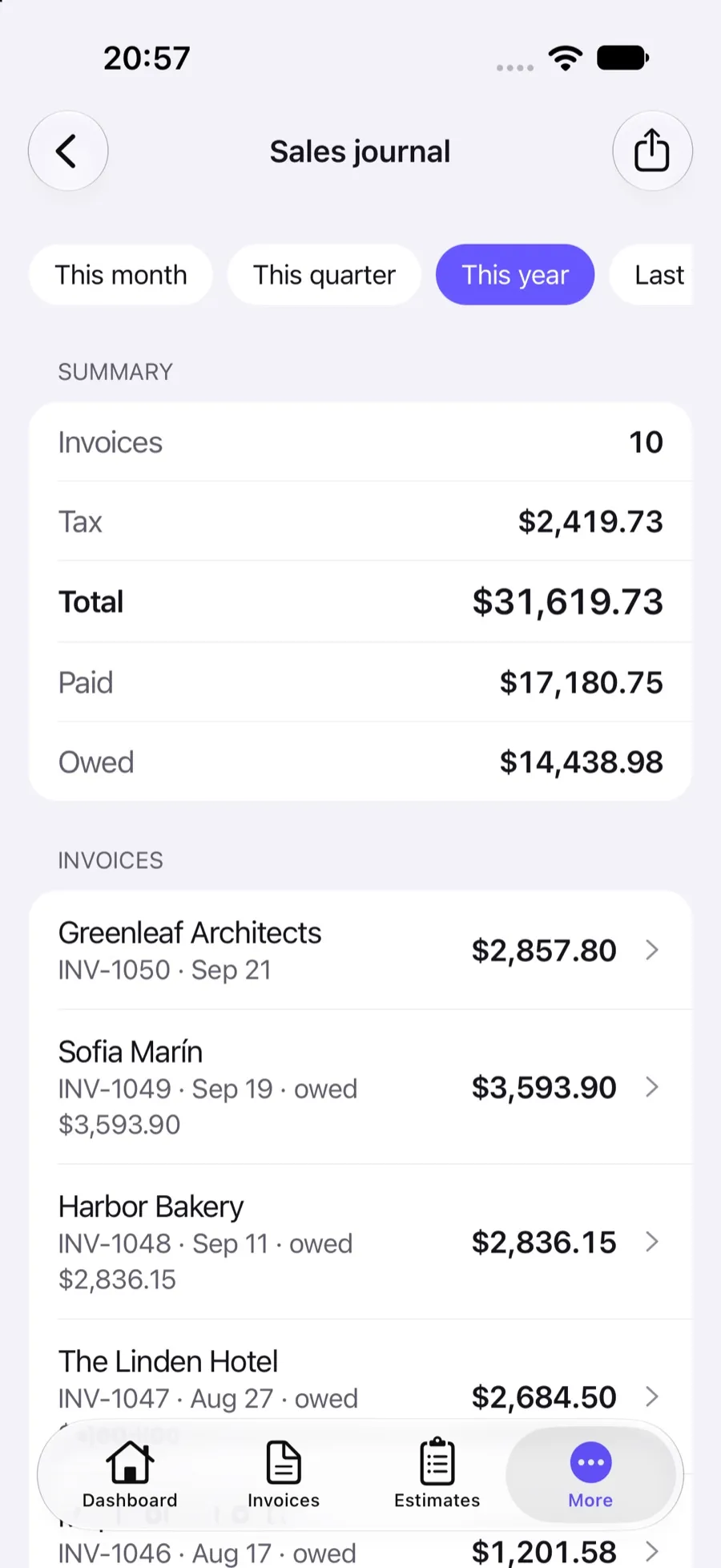
Sales by date, client or item, the sales journal and customer aging download as Excel spreadsheets.
Nightly backups
The Invoxa database is backed up every night, so a broken phone does not take your records with it.
Search and filters
Narrow the list by status, date range or amount before you export it.
Your records, kept for you
An invoice is a record you may need years later, for taxes, a dispute or a client who lost their copy. Invoxa keeps each invoice, estimate and purchase order in your account with its client, line items, payments and status history. Sign in on any device and they are there; there is no file to email to yourself or a folder to keep in sync.
PDF, the copy everyone accepts
Every document can be downloaded or printed as a PDF. On the web the PDF is built on the server from your document design; in the iPhone app you can share it straight from the share sheet to Mail, Files or a messaging app. Clients who open your link can download the same PDF themselves.
CSV and Excel for the spreadsheet work
For bookkeeping, your accountant or your own analysis, export the invoice, estimate or purchase order list to CSV. The export follows the filters on the list, so “paid invoices from last quarter” is one filter and one click. Reports go out as Excel files: sales by date, client or item, the sales journal and customer aging. See reports for what each one contains.
Frequently asked questions
Can I export all my invoices?
Yes. Open the invoice list, set the filters you want (status, dates, amount) and export it to CSV. Estimates and purchase orders have the same export. Each document can also be downloaded as a PDF.
Where are my invoices stored?
In your Invoxa account, on Invoxa's cloud servers. That is why the same documents open in the web app and in the iPhone app. The database is backed up every night.
Can I import my clients from another app?
Not yet. Clients are added one by one, or created as you fill in a document.
In which format are reports exported?
As Excel spreadsheets (XLSX), one sheet per currency if you have documents in more than one.
Related features
Invoicing reports
Sales by date, client and item, a sales journal, taxes and customer aging, with spreadsheet exports.
Web and iPhone app
The same account in any browser and in the iPhone app; start on one device, finish on another.
Data security
Encrypted connections, card payments on Stripe's page, hashed passwords and private document links.
 Read reviews on App Store
4.9 out of 5 on App Store
 Read reviews on Google Play
4.9 out of 5 on Google Play