

Invoice from your browser or your iPhone
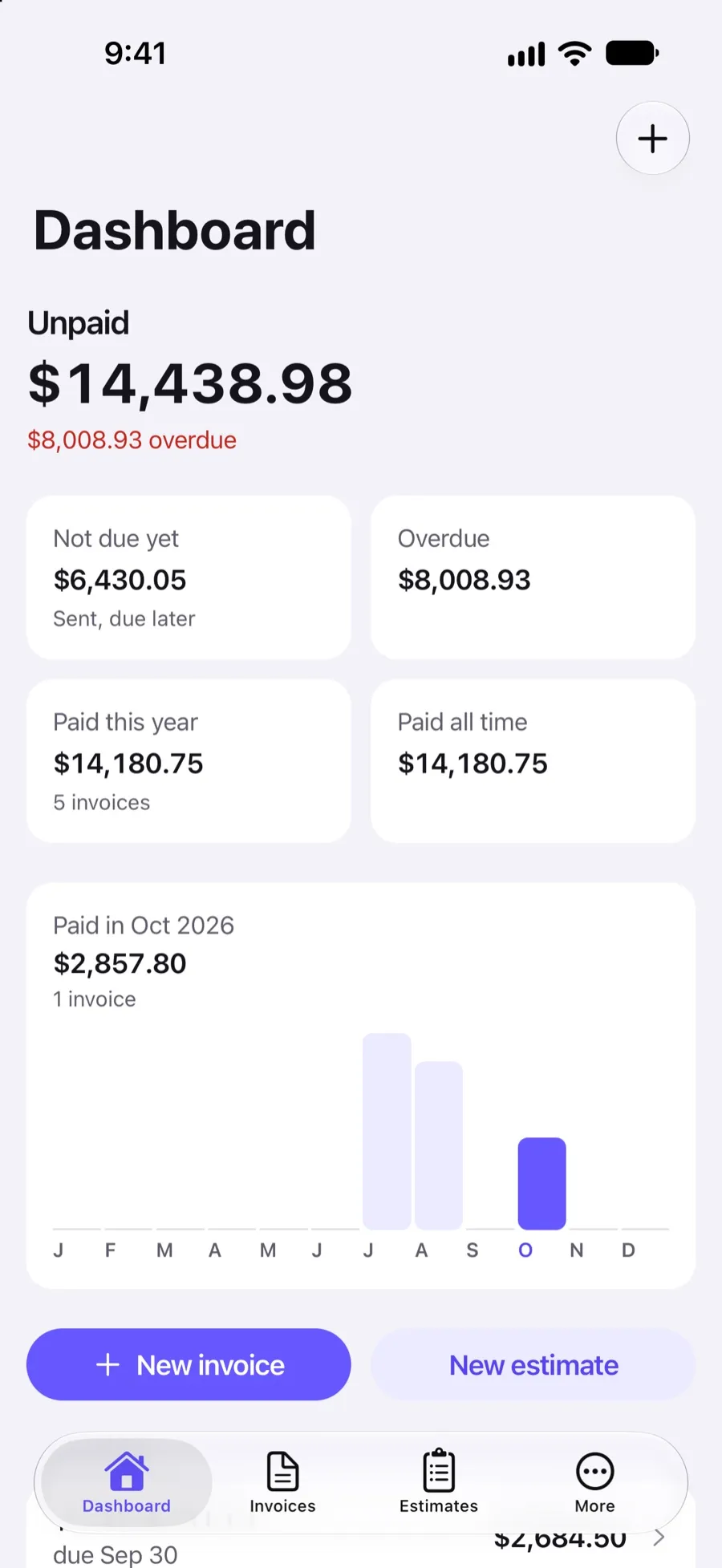
Invoxa runs in any modern browser and in an iPhone app, with one account. Start an invoice at your desk and send it from the job site: your clients, items and documents are on both.
Included in Invoxa Pro, on the web and in the iPhone app. 3-day free trial, no credit card needed.
How it works
Sign up once
Create your account on the web or in the iPhone app. The same email and password work on both.
Work where you are
Use the full app in a browser at your desk, or the iPhone app on the road. Both create invoices, estimates and purchase orders.
Pick up on any device
Everything is stored in your account, so a draft started on the web opens on your phone and the other way round.
What you can do
Any modern browser
Chrome, Safari, Edge or Firefox on a Mac, PC, tablet or phone. Nothing to install.
iPhone app
Create, send and track documents, record payments and see reports from the App Store app.
One account
Clients, items, documents, settings and reports are the same on every device.
One subscription
Invoxa Pro bought on the web works in the app, and the other way round.
On your home screen
The web app can be added to the home screen of a phone or tablet and opens like an app.
Notifications on both
See when a client opens or pays a document in the web app's notifications and in the iPhone app.
One account, two ways in
Most small businesses invoice from more than one place: a laptop for the monthly batch, a phone for the job that just finished. Invoxa keeps one account behind both. The web app at app.invoxa.com and the iPhone app read and write the same clients, items, invoices, estimates, purchase orders and settings, so there is nothing to sync or export between them.
What you can do on each
Both create and edit invoices, estimates and purchase orders, send them by email or link, record payments, duplicate documents and show reports. The web app gives you a bigger screen for setting up your document design and reading reports; the iPhone app is quicker on site, with the share sheet for PDFs and notifications on the phone.
Starting on one device, finishing on another
Save a draft in the browser and it is in the app’s invoice list the next time you open it. Send an estimate from your phone, and its status (Sent, Viewed, Approved) shows in the web app too. A client who pays online is recorded once, and the invoice shows as paid everywhere.
Android and tablets
The Android app is still in development. In the meantime the web app works in Chrome on Android phones and tablets, and it can be added to the home screen. On iPad, use the web app in Safari.
Frequently asked questions
Does Invoxa have a mobile app?
Yes, for iPhone, on the App Store. It uses the same account as the web app. An Android app is in development; until it is out, Android users can use the web app in a mobile browser.
Do I need a separate subscription for the app?
No. One Invoxa Pro subscription ($5.99 a month or $59.99 a year) covers the web app and the iPhone app.
Does Invoxa work offline?
No. Invoxa stores your documents in your account in the cloud, so it needs an internet connection to load and save them.
Can I use Invoxa on an iPad or a computer?
Yes, in the browser. Open app.invoxa.com in Safari, Chrome, Edge or Firefox on any computer or tablet and sign in with your account.
Related features
Cloud storage and exports
Documents stay in your account; download PDFs, export document lists to CSV and reports to Excel.
Invoice tracking
See when a client opens, pays or answers a document, with statuses, notifications and an overdue view.
Email invoices
Email invoices, estimates and purchase orders from Invoxa with a button to view and pay, or share the link.
 Read reviews on App Store
4.9 out of 5 on App Store
 Read reviews on Google Play
4.9 out of 5 on Google Play