

Client list and item catalog that fill invoices for you
Save each client and each product or service once. Pick them in the invoice and the address, emails, payment term, prices, units and taxes fill themselves in. New items you type are added to the catalog as you go.
Included in Invoxa Pro, on the web and in the iPhone app. 3-day free trial, no credit card needed.
How it works
Add a client
Name, company, emails, phones, billing and shipping address, tax number and payment term.
Build your catalog
Save products and services with a price, unit, tax and code, or let Invoxa add new lines for you.
Fill documents in seconds
Choose the client and the items; everything else is filled in and can still be changed.
What you can do
Several emails and phones
Add every contact a client has, and choose which emails receive documents.
Billing and shipping
A billing address and a shipping address, or one address used for both.
Client details on file
Tax number, payment term and private notes, kept with the client.
Item catalog
Name, description, price, unit, tax, code and an optional line discount for each item.
Your own units
Hours, pieces, square meters, sets: create the units you sell in.
Catalog that grows itself
New lines you type are saved to the catalog when you save the document.
Why keep clients and items in Invoxa
Most invoices go to the same clients for the same work. Typing the address and the rates every time is slow and invites mistakes. With a client list and an item catalog, a new invoice is a few taps: choose the client, add three items, adjust a quantity, send.
Clients
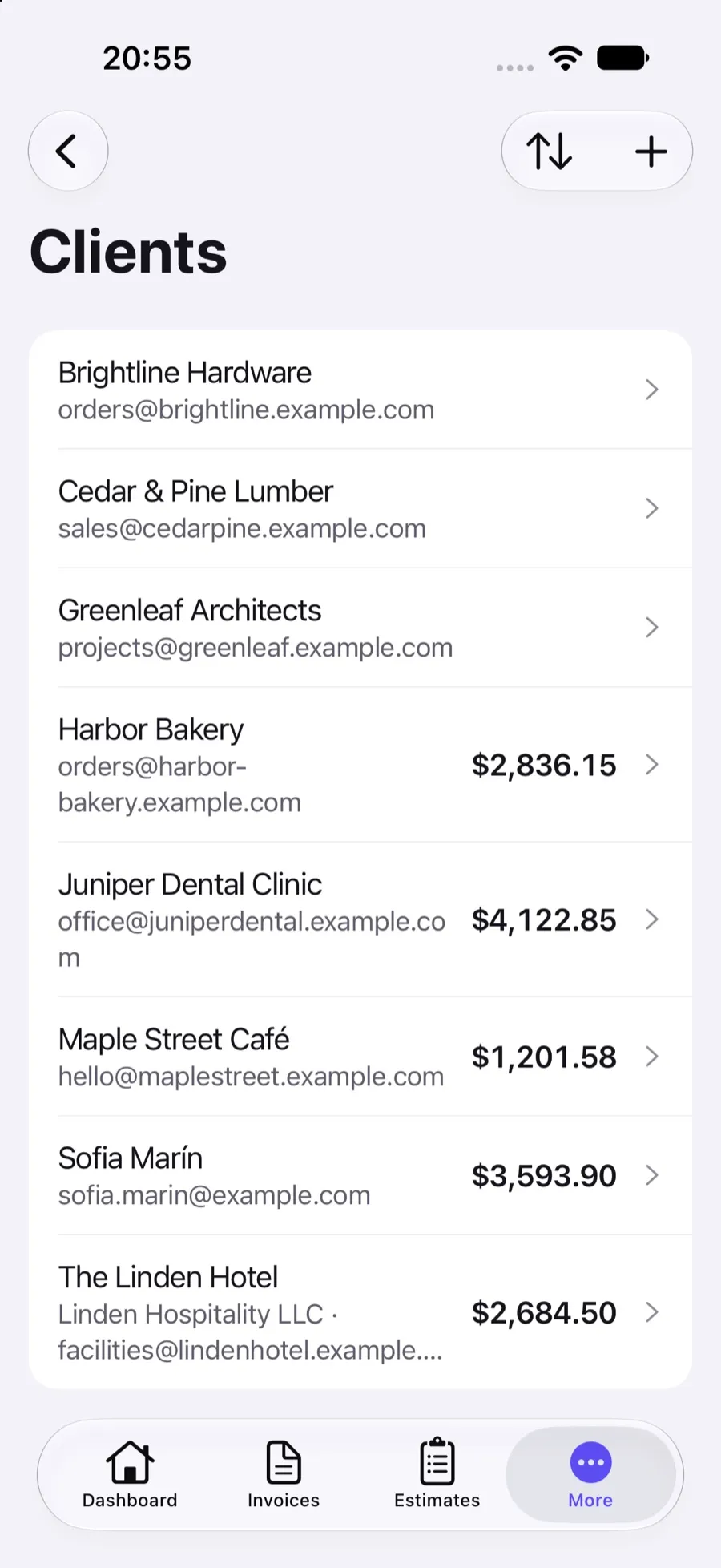
A client can be a person or a company. Keep all their emails, with a switch for which ones receive documents (the accounts payable address, for example), their phone numbers with country codes, a billing and a shipping address, their tax number, a payment term of their own and private notes. The client list shows how much each client owes.
Items
Each item has a name and description, a price, a unit (create your own: hour, piece, m², set), a tax and an optional code and line discount, and can be marked as parts or labor. Pick an item in a document and the line fills in; change the quantity and you are done. The prices you set are a starting point and can be changed on each document.
Good to know
Quantities are whole numbers. Clients and items cannot be imported or exported yet, so when you switch from another tool, start with your active clients and the items you bill most.
Frequently asked questions
Can I save clients in Invoxa?
Yes. Each client keeps a name, company, several emails and phone numbers, billing and shipping addresses, a tax number, a payment term and notes. Choose the client on a document and the details fill in.
Can I save products and services?
Yes. The item catalog keeps each item's name, description, price, unit, tax, code and optional discount. On the web, new lines are added to the catalog automatically when you save a document; in the app, tick save to catalog.
Can I import my client list?
Not yet. Clients are added one by one or created while you fill in a document.
Which email gets the invoice when a client has several?
Every email marked to receive documents. You can still change the recipients on the send form.
Related features
Taxes and discounts
Sales tax, VAT or GST per line, inclusive or exclusive, line and invoice discounts, and a tax summary.
Duplicate invoices
Copy any invoice, estimate or purchase order into a new draft with the next number and today's date.
Email invoices
Email invoices, estimates and purchase orders from Invoxa with a button to view and pay, or share the link.
 Read reviews on App Store
4.9 out of 5 on App Store
 Read reviews on Google Play
4.9 out of 5 on Google Play