

Duplicate an invoice in one click
Billing the same work again? Duplicate any invoice, estimate or purchase order and Invoxa opens a new one with the same client, items and settings, the next number and today's date. Change what you need and save.
Included in Invoxa Pro, on the web and in the iPhone app. 3-day free trial, no credit card needed.
How it works
Open a document
Any invoice, estimate or purchase order, whatever its status.
Choose Duplicate
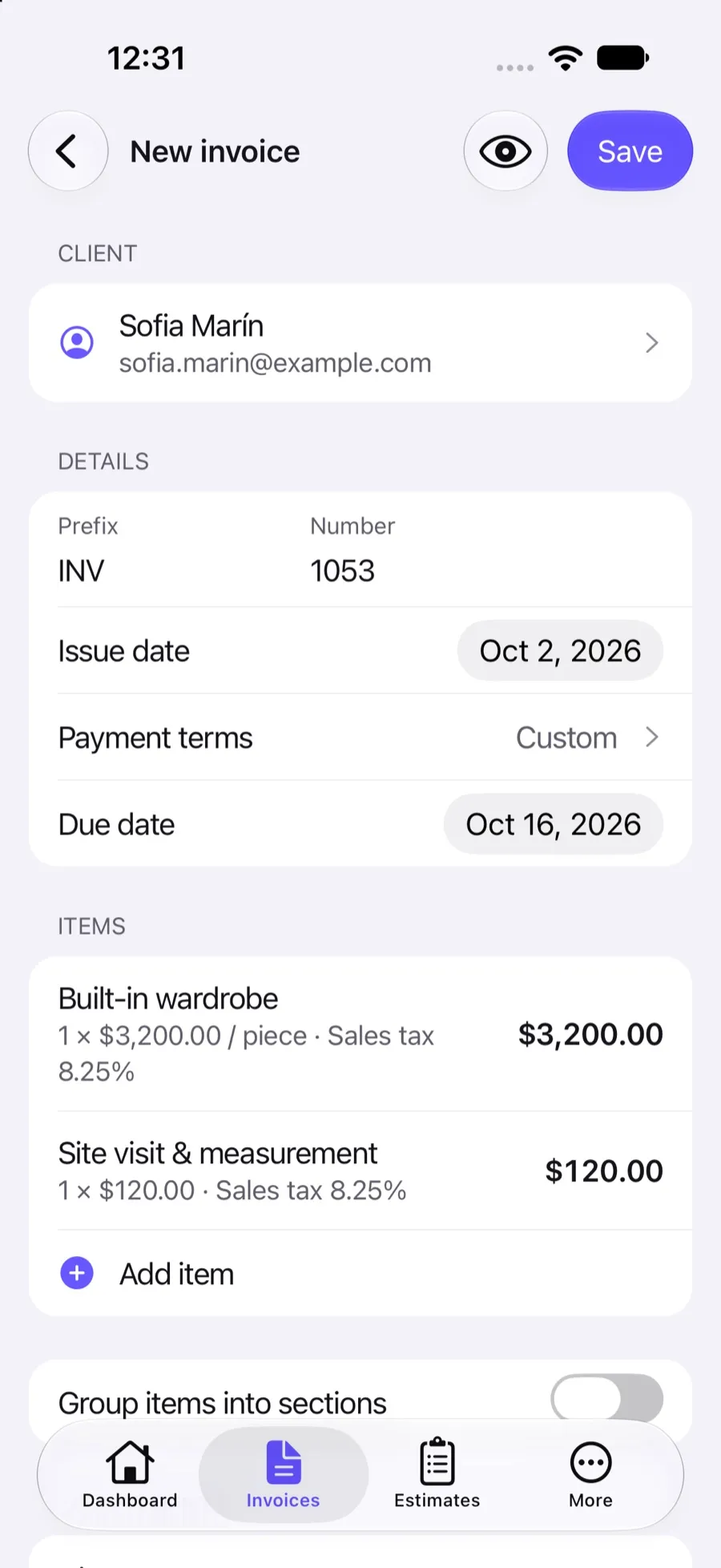
Invoxa opens a new draft filled from the original, with the next number and today's date.
Edit and save
Change the client, quantities or dates; nothing is saved until you press Save.
What you can do
Everything on the page
Client, sections, line items with taxes and discounts, document discount and deposit come along.
Notes and instructions
Notes, payment instructions, signature settings and the Stripe Pay option are copied too.
Attachments included
Photos and files attached to the original are attached to the copy.
Next number, today's date
The copy takes the next number in your numbering and is dated today, as a draft.
Nothing saved by accident
The copy is only created when you save it; close the form and nothing changes.
All three document types
Works the same for invoices, estimates and purchase orders, on the web and in the app.
When duplicating saves time
Many invoices are variations of an earlier one: the same client every month with a different number of hours, the same package for a new client, the same supplier order with new quantities. Duplicate starts you from the finished document instead of a blank form, so the line items, rates, taxes and notes are already right.
What changes on the copy
The copy is a new draft. It takes the next number from your invoice numbering, is dated today and has no payments recorded. In the iPhone app the due date and the deposit due date move forward so the payment term stays the same; on the web the due date is copied as it was, so set it before you send.
Duplicate or repeat?
Use Duplicate for one-off copies and for estimates and purchase orders. If you bill the same amount on a regular rhythm, turn on Repeat invoice instead and Invoxa prepares each copy as a draft on schedule.
Frequently asked questions
How do I duplicate an invoice in Invoxa?
Open the invoice, open its menu and choose Duplicate. A new invoice opens with the same content, the next number and today's date. Edit it and save.
What is copied when I duplicate an invoice?
The client, sections, line items with their taxes and discounts, the document discount, the deposit, notes, payment instructions, attachments and the signature and Stripe settings. Payments, the status and any repeat schedule are not.
Can I duplicate an invoice for a different client?
Yes. After choosing Duplicate, change the client in the form before you save.
Should I use Duplicate or Repeat invoice?
Duplicate makes one copy now. Repeat invoice makes a draft copy on a schedule, every week, two weeks, three weeks or month.
Related features
Recurring invoices
Repeat an invoice every week, two weeks, three weeks or month; Invoxa prepares each copy as a draft.
Invoice numbering
Automatic numbers with your own prefix and starting number for invoices, estimates and purchase orders.
Clients and items
Save clients with several emails, phones and addresses, and a catalog of items with prices, units and taxes.
 Read reviews on App Store
4.9 out of 5 on App Store
 Read reviews on Google Play
4.9 out of 5 on Google Play