

Record payments and partial payments
When a client pays outside Invoxa, record it on the invoice: the amount, the date and how they paid. Invoxa keeps the balance and moves the invoice to Partially paid or Paid on its own.
Included in Invoxa Pro, on the web and in the iPhone app. 3-day free trial, no credit card needed.
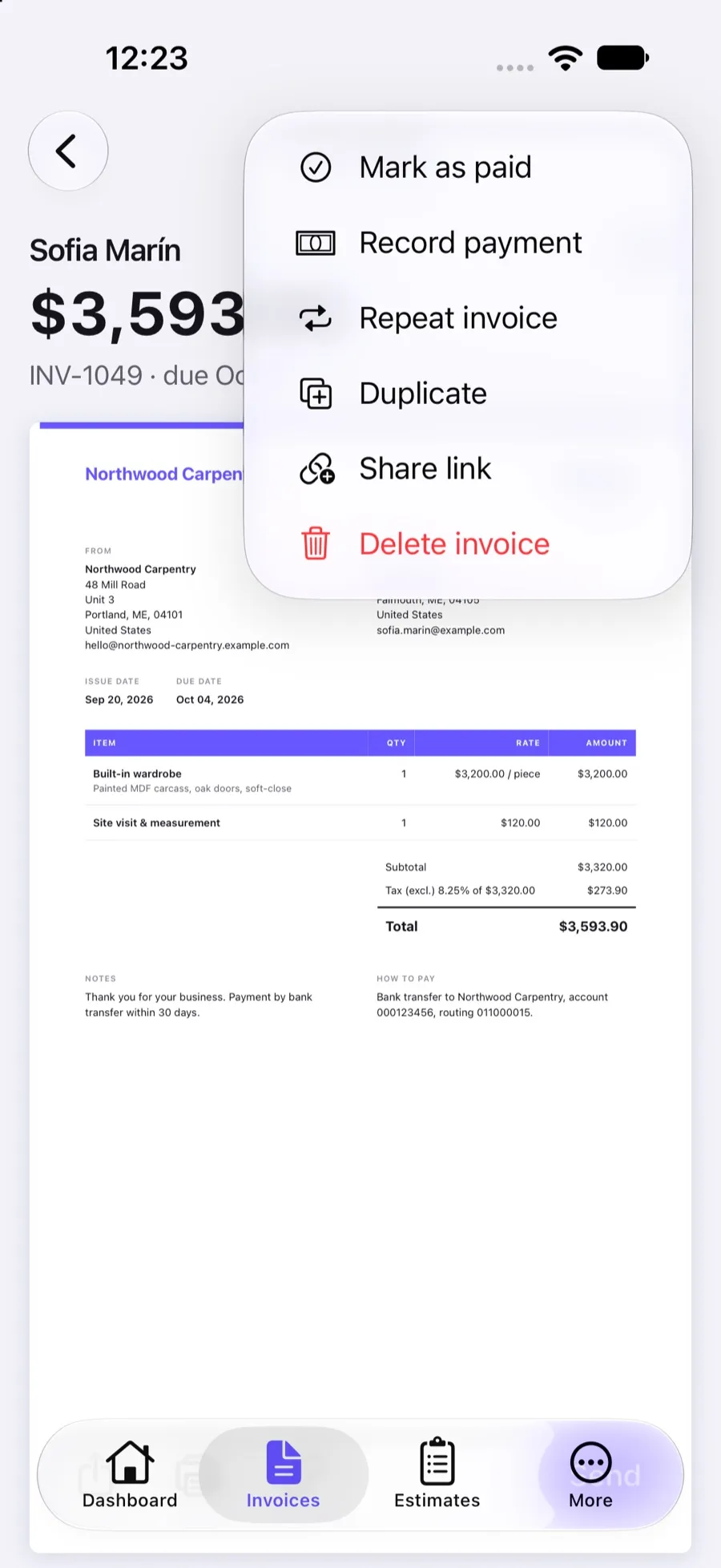
How it works
Open the invoice
Find the invoice the client paid, on the web or in the iPhone app.
Record the payment
Enter the amount, the date and the method (cash, check or card), with a note if you like.
Let the status follow
Invoxa subtracts the payment from the balance and marks the invoice Partially paid or Paid.
What you can do
Partial payments
Record as many payments as the client makes, until the invoice is paid in full.
Balance due, always current
The invoice shows what has been paid and what is still owed.
Automatic status
Partially paid or Paid is set from the payments; delete a payment and the status goes back.
Mark as paid
Settled outside your records? Mark the invoice paid in one tap without entering a payment.
Online payments recorded for you
Payments made through Stripe from the invoice link are recorded automatically.
Payment history
Each payment keeps its amount, date, method and note, and feeds your payment reports.
Why record payments at all
An invoice is only half of the story; the other half is whether it was paid. Recording payments against invoices gives you a true balance per client, a list of what is still open, and reports that match your bank. It is also what moves an invoice out of your “unpaid” total on the dashboard.
How partial payments work
Clients often pay in parts: a deposit, then the rest; or two installments for a large job. Record each payment as it arrives. The invoice shows the amount paid and the balance due, and its status is Partially paid until the balance reaches zero. Invoxa will not let the payments add up to more than the invoice total, so a typo cannot leave a negative balance.
Payments you do not have to type
If you connect Stripe, clients can pay from the invoice link, in full or in part. Those payments are recorded for you, with the method shown as Stripe, and the invoice status changes as soon as Stripe confirms the payment. Bank debits that take a few days show as processing until they clear.
Statuses at a glance
Invoices move through Draft, Sent, Viewed, Partially paid and Paid. An invoice past its due date with a balance left is flagged as overdue in the list, so you know whom to call. See invoice tracking for how the Viewed and Paid notifications work.
Frequently asked questions
Can I record a partial payment on an invoice?
Yes. Record each payment with its amount and date. Invoxa keeps the remaining balance and marks the invoice Partially paid until the payments add up to the total, then Paid.
What is the difference between Record payment and Mark as paid?
Record payment adds a payment with an amount, a date and a method, so it shows in your payment history and reports. Mark as paid only sets the invoice to Paid, for invoices settled some other way.
Do I need to record payments made by card through Invoxa?
No. When a client pays online through your connected Stripe account, the payment is recorded and the status updated automatically.
Can I undo a payment I recorded by mistake?
Yes. Delete the payment and Invoxa recalculates the balance and sets the status back, for example from Paid to Viewed or Sent.
Related features
Online payments
Clients pay from the invoice link by card, Apple Pay, Google Pay or other methods you turn on in Stripe.
Invoice tracking
See when a client opens, pays or answers a document, with statuses, notifications and an overdue view.
Payment terms and deposits
Net 7 to Net 90 or a custom due date, deposits as a percentage or amount, and your payment instructions.
 Read reviews on App Store
4.9 out of 5 on App Store
 Read reviews on Google Play
4.9 out of 5 on Google Play